INSYDIUM NeXus


Get the free NeXus 2026.1 Beta
One free license for Cinema 4D and Blender. Beta licenses end 31st December 2026. Already own INSYDIUM Fused, X-Particles or NeXus? The Beta is already yours.
Get the free BetaSee everything in the Beta
Works in

INSYDIUM NeXus
NeXus is GPU-accelerated particle simulation for Cinema 4D and Blender, with real-time viewport feedback and fast iteration. From fluid dynamics, fire and multi-material simulation to organic growth and constraint-based dynamics, everything runs on the GPU. One license works in both.
- A perpetual license with 12 months of updates.
- Cinema 4D R19 or later and Blender 4.3 or later.
- Windows and macOS, plus Linux in Blender.
- Full 2026.1 release on Thursday 10th December.
Imitated but never equalled, NeXus is the original and still the best.
New in 2026.1
The main new features in each Beta, newest first.
Beta 4 25 November 2026, out now
- Dynamics: nxCloth, nxSoftBody, nxRope, nxRigidBody and nxJoint on one GPU solver, working with liquids, smoke, nxMPM and particles. nxOcean floats bodies and nxCache records them.
- Sparse grids: nxExplosiaFX, FLIP and nxFlowField keep only the parts of the grid in use, so much larger smoke and liquid domains fit in GPU memory. Grids can follow the simulation with no box, and large FLIP liquids use a faster pressure solve.
- nxGrains: sand, soil and grains with clumps and material presets from dry sand to mud, snow and clay.
- Heat and ice: liquids carry heat, freeze onto cold colliders and melt again. Frozen FLIP water turns into nxMPM ice.
- Flames: nxExplosiaFX burns fuel into flames, with a Burn Model and Quality presets.
nxCloth: a flag in the wind.
nxJoint: chains of hinged links.
Flames in a 22 m sparse domain.
FLIP water freezes into nxMPM ice.
nxGrains: dry sand pouring into a pile.
nxRope: ropes draping over a ball.
Beta 3 30 October 2026
- nxSpawn: spawn new particles from existing particles.
- nxFluid2D: a realtime 2D fluid that runs in the UV map of a surface.
- nxScatter: place points over the selected meshes.
- nxSystem: a ready-made NeXus folder set in both hosts.
- nxOcean beaches: swash, surf and foam that strands on the sand.
- Scene exchange: import and export Cinema 4D scenes in Blender. nxConvert turns X-Particles emitters into NeXus ones in Cinema 4D.
Beta 2 7 October 2026
- nxOcean: a GPU ocean with foam, spray, wakes and floating objects, that works with FLIP liquids.
- nxShatter: break meshes into pieces on the GPU.
- nxWarp: bend, twist, wrap and flow particles, meshes and smoke.
- Cinema 4D particles: NeXus modifiers can drive the native particles in Cinema 4D 2025.3 or later.
Beta 1 1 October 2026
- NeXus for Cinema 4D: rebuilt on the same engine as NeXus for Blender. One license, both hosts.
- nxMPM: a multi-material solver for liquid, elastic, snow, sand, brittle, metal and foam, with a material mixer, fracture and auto sleep.
- nxDeformer: the particles move and your mesh follows. It can tear and remesh.
- nxBioLogic: cellular growth with reaction-diffusion, differential growth, physarum and more.
- Falloffs and adhesion: nine new falloff shapes and falloff layers, plus nxCollider adhesion so particles stick to and slide off colliders.
See what is new in Beta 4 and all fixes
Powered by Theron™
nxExplosiaFX smoke through glass rings.
Theron is our GPU simulation engine. It is built on a modern Vulkan foundation with our own compute core, so nothing waits on your CPU. Simulations solve quickly, scale to high particle counts and update in the viewport while you work.
Vulkan is why it runs where you do: NVIDIA, AMD and Intel on Windows and Linux plus Apple Metal on macOS. You get the power of a low level compute platform without being tied to one GPU vendor.
One engine, two hosts. NeXus for Cinema 4D and NeXus for Blender run on the same Theron engine, so a setup behaves the same way in both. Your experience and your training carry straight over. What changes is how you add things and wire them up in each host.
Works with Cinema 4D's own GPU particles and Pyro. In Cinema 4D 2025.3 or later, NeXus links straight into Cinema 4D's native GPU particles and Pyro. NeXus sends its particles into Cinema 4D's GPU particles and reads them back. nxExplosiaFX and Pyro exchange smoke and fire both ways, so your native Cinema 4D setups and NeXus work together in the same scene.
Licensing
One system, one workflow
No single solver is right for every shot, so NeXus has four for liquids and granular material: PBD, SPH, FLIP and APIC. Now there is also MPM for mixed materials that bend, break, pile up and melt. Alongside them sit a full volumetric solver for fire, smoke and explosions, a particle solver and over 40 modifiers covering emission, forces, motion, collisions, growth, meshing and per particle logic.
The liquids, granular material and secondary particles share one particle system, so the parts work together. Foam reads the liquid solver's own surface field rather than guessing from a bag of points. The volumetric solver both feeds off those particles and drives them, so one turbulence force can shape your liquid and your smoke from a single set of settings.
All of it lives in one plugin, inside Cinema 4D or Blender. One purchase, one license, one workflow and one place to ask for help, instead of collecting tools that each solve a piece of the job.
nxExplosiaFX cold gas bursting from a glass.
FLIP chocolate over a cookie stack.
FLIP water, then oil, over three spoons.
What's Included
Show the full feature list
Everything below works in both Cinema 4D and Blender unless it says otherwise.
Emitters and Setup
- nxEmitter: the source of particle birth, with shape, surface and volume emission, Initial State and Display Channels
- nxGroup: organize particles into groups that modifiers can target
- nxCache: bake simulations and play them back, including just a frame range
- nxLiquid: fast liquid setup with Fill and Flow emission and a one-click FLIP build
- nxMaterial: one-click emitter with an MPM material
- nxSpawn: spawn new particles from existing particles
- nxScatter: place points over meshes
- nxSystem: a ready-made NeXus folder set
Fluids
- nxFluids: liquid and granular simulation with PBD, SPH, FLIP and APIC solvers, with heat, freezing and melting
- nxFoam: foam, spray and bubbles generated from fluid simulations
- nxOcean: a GPU ocean surface with foam, spray, wakes, beaches and floating objects, that works with FLIP liquids
- nxFluid2D: a realtime 2D fluid in the UV map of a surface
- nxSheeter: insert particles into thin fluid sheets to keep the film intact
- nxSplash: splash cone effects that push particles outward
- nxWave: wave motion using noise patterns
Dynamics
- nxCloth: cloth that tears, frays, stitches and inflates, with fabric presets
- nxSoftBody: soft bodies with a material list
- nxRope: ropes and cables with mesh output
- nxRigidBody: rigid bodies with material presets, that liquids can float and wake
- nxJoint: joints that link rigid bodies
- nxGrains: sand, soil and grains with clumps and material presets
- nxMPM: multi-material solver for liquid, elastic, snow, sand, brittle, metal and foam
- nxConstraints: particle solver for cloth, rope and soft bodies with multiple constraint types
- nxPin: hold selected particles still to anchor a simulation
- nxPPCollisions: particle to particle collisions
- nxExplosiaFX: fire, flames, smoke and explosions
- nxFlowField: procedural flow fields that guide particles, with VDB export
- Sparse grids: nxExplosiaFX, FLIP and nxFlowField keep only the parts of the grid in use, for much larger domains
Forces
- nxAttract: attract particles towards the modifier or target objects
- nxDrag: apply aerodynamic drag to particles
- nxExplode: explode particles outward from a point
- nxGravity: apply gravity force to particles
- nxPush: push particles apart to prevent overlapping
- nxTurbulence: turbulence noise force
- nxVorticity: vorticity confinement force
- nxWind: apply wind force to particles
Surface and Growth
- nxBind: keep particles in place inside a deforming volume
- nxBioLogic: cellular growth with reaction-diffusion, differential growth, physarum, particle life plus coral and primordial modes
- nxCover: cover target object surfaces
- nxDendrite: grow branching and networked structures from particles
- nxFollowGeo: follow geometry surfaces or edges
- nxInfectio: infection and contagion spread between particles
- nxSticky: stick particles to object surfaces
Particle Control and Motion
- nxAvoid: make particles avoid specified objects
- nxBlend: blend parameters between neighboring particles
- nxColor: layered particle color control
- nxDirection: layered control of particle direction
- nxFlock: flocking behavior with reactors (Cinema 4D: nxFlock plus nxFlock Reactor)
- nxKill: kill particles by volume, objects or count
- nxLimit: limit particle properties with layered operations
- nxRotate: apply rotational force to particles
- nxScale: scale geometry, radius or mass with layered operations
- nxSpeed: layered control of particle speed
- nxSpin: layered control of particle rotation
- nxUpres: add detail by upresing from a low resolution source
- nxWarp: bend, twist, wrap and flow particles, meshes and nxExplosiaFX smoke with 19 warp types, including Helix, Path, Wind, Melt, Noise, FFD and Scroll
Interaction and Logic
- nxCollider: collide particles with mesh objects, with adhesion, attraction and repulsion
- nxFalloff: falloff shapes and falloff layers to shape where any modifier acts (Blender also has the optional nxFalloff Modifier)
- Mapping layers: drive parameters from textures, noise, attributes and particle data
- nxQuestion: per-particle if/then logic
Generators and Meshing
- nxDeformer: deform, tear and remesh a mesh with particles (in Blender it can also subdivide and deform curves)
- nxGenerator: instance meshes at every active particle position
- nxMesher: generate a polygon mesh from particles, with UV advection
- nxShatter: break one or many meshes into pieces on the GPU
- nxTrail: particle trails as a viewport overlay or curves
Viewport and Interface
- GPU viewport: fast GPU drawing of particles, fluids and volumes
- HUD: live particle counts per emitter, VRAM use, frame time and GPU name
- Particle Console (Blender only): inspect particle data, filtered by emitter
- Blender only: Particle Info node for shader and geometry nodes, NeXus icons in the Outliner, modifier presets, named curve and gradient presets, Quill and a GLSL script editor in nxQuestion, Cinema 4D scene import and export plus an interface translated into 10 languages
- Cinema 4D only: the link to Cinema 4D's native GPU particles and Pyro, NeXus modifiers driving the native particles and X-Particles emitters, nxConvert for X-Particles scenes, nxFalloffMap for vertex maps and vertex colors plus NeXus Project Settings
Preview Videos
System Requirements
Cinema 4D: Cinema 4D R19 or later. The link to Cinema 4D's GPU particles and Pyro needs Cinema 4D 2025.3 or later.
Blender: Blender 4.3 or later. Every version from 4.3 onwards is supported, including Blender 4.5 LTS and Blender 5 and newer. NeXus for Blender is installed via the Blender Extensions platform, which was added in Blender 4.3.
NeXus is GPU-accelerated, so you will need a modern GPU with up-to-date drivers and at least 4GB of VRAM. On Windows and Linux this requires Vulkan 1.3. On macOS it requires Metal 3.
NeXus uses online licensing. It contacts our license server to check your license, so you need an active internet connection to activate it and to run it. This is not an offline product.
Operating System
- Windows: Windows 10 or later, 64-bit. Windows on ARM is supported in Blender. You also need the Microsoft Visual C++ 2015-2022 Redistributable (x64), which most machines already have.
- macOS: macOS 13.0 (Ventura) or later, on Apple Silicon and on Intel Macs with a Metal 3 GPU. On Intel Macs, Blender itself stops at 4.5 LTS.
- Linux: glibc 2.31 or later, for example Ubuntu 20.04 LTS. Linux is supported in Blender only, as Cinema 4D does not run on Linux.
Anonymous Usage Statistics
INSYDIUM NeXus sends Anonymous Usage Statistics. You can turn this off in the NeXus preferences, unless your license plan requires it. The statistics gathered are entirely anonymous; no personal information is stored.
The Python add-on layer of NeXus for Blender is GPL-3.0-or-later. It drives a proprietary compiled simulation engine.
Show us what you make
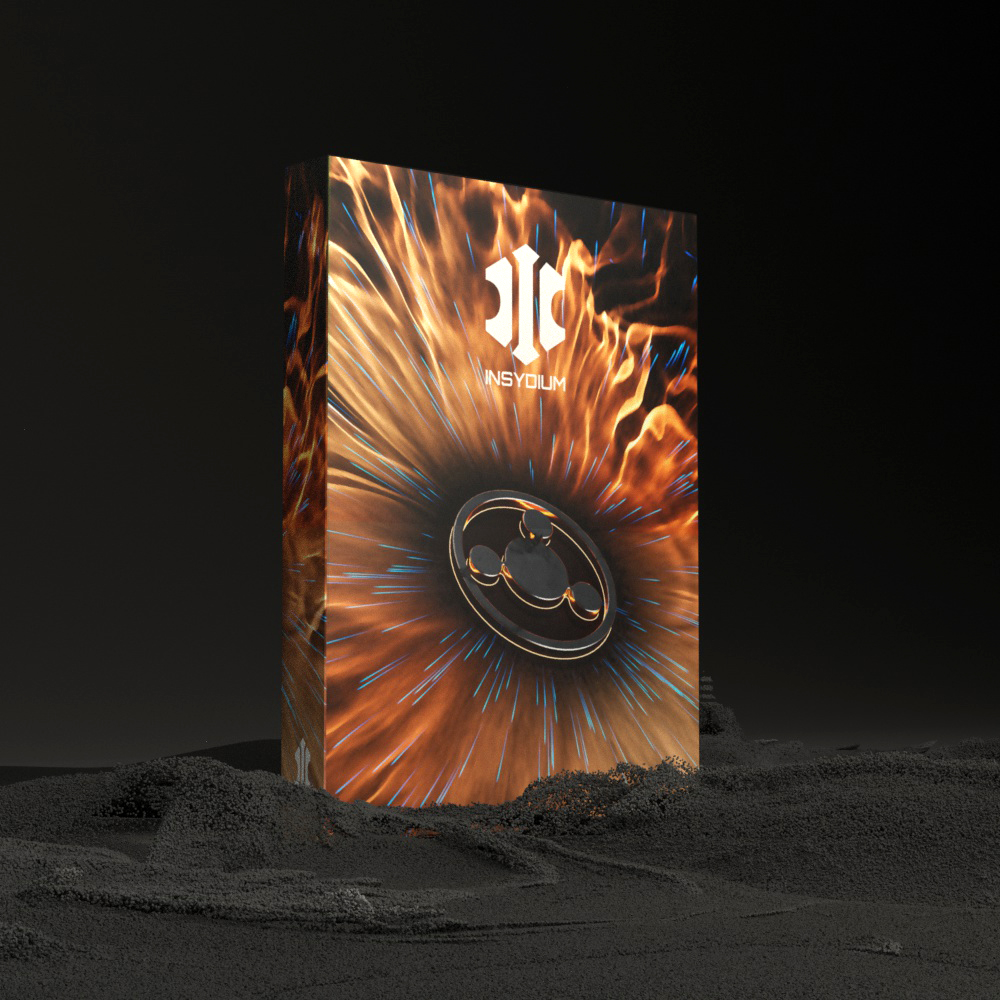
Your INSYDIUM Product
- Product Code: INXBL
- Availability: In Stock
We offer discounts to educational institutions and students with valid proof of status. Read more here
BLACK FRIDAY SALE
Get 50% OFF
Use coupon code BLKFRI26 in your cart
-
£140.00* (ex VAT)
£70.00 with code BLKFRI26 (ex VAT)Already an INSYDIUM customer? Enter your licence below to see any discount available to you.
INSYDIUM Fused and X-Particles owners save 50%.
* Licence discounts cannot be used with any other offer or coupon.